Render Fun tutorial series · Lesson 9 / 10
Render Fun Tutorial 9: Exterior Scenes With Plants, Water and Atmosphere
An exterior lives from its surroundings. This lesson plants the garden, tunes the pool water and brings air into the picture.
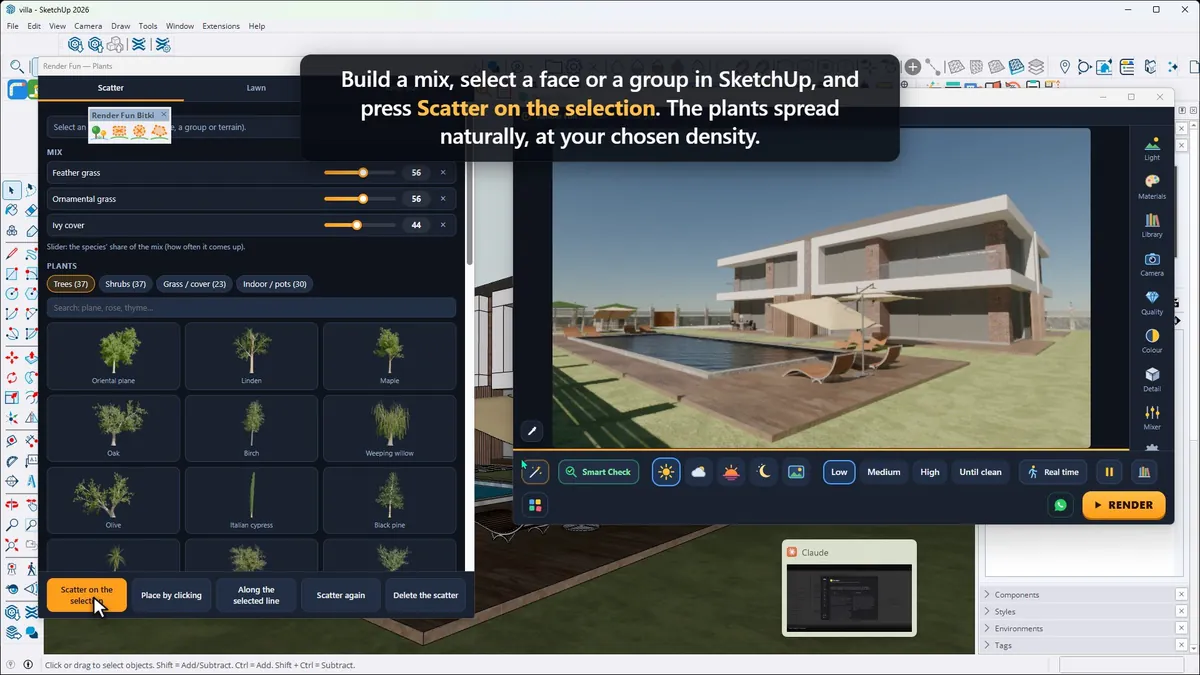
Scatter plants
Open Extensions › Render Fun › Plants, or the leaf icon on the Render Fun Plants toolbar. It holds more than a hundred species: trees, shrubs, grasses, ground covers and potted plants. Build a mix, select a face or a group in SketchUp and press Scatter on the selection: the plants spread naturally at your chosen density.
In SketchUp the plants stay light placeholders, so modelling stays fast; in the render they grow into full 3D plants. The lawn is Render Fun grass made in the Lawn tab, and keep-out areas leave paths and terraces free.
Pool, sea and lake water
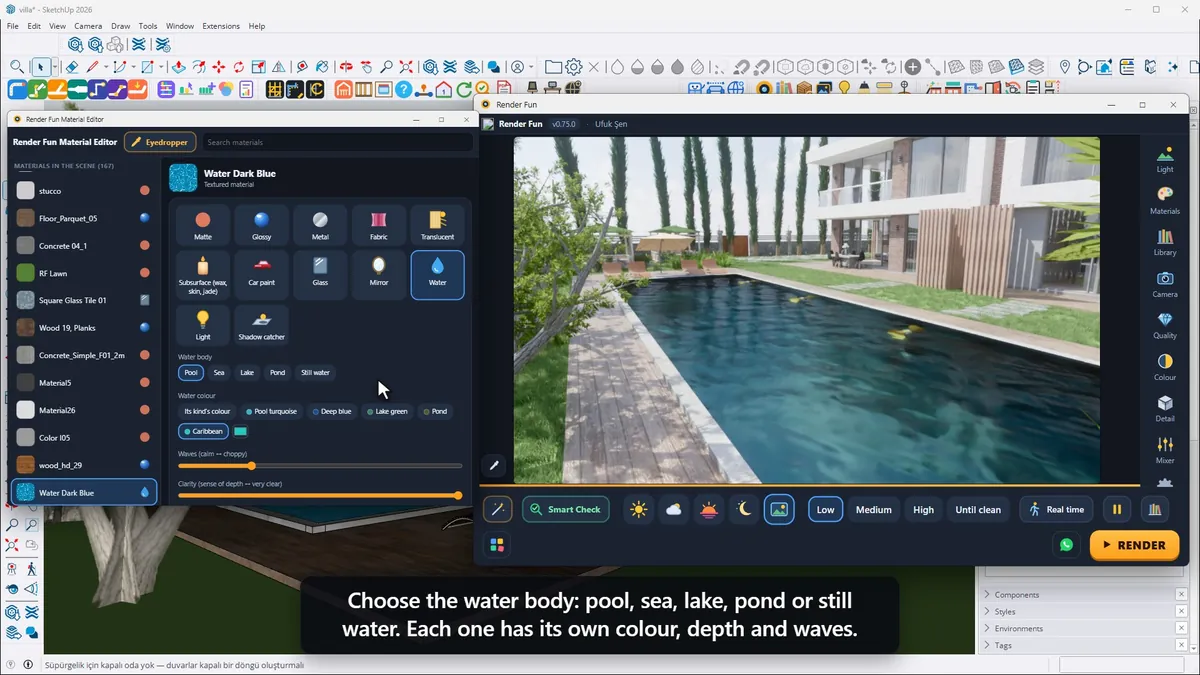
Click the water and the Material Editor shows its water settings. Choose the water body: pool, sea, lake, pond or still water, each with its own colour, depth and waves. Waves goes from calm to choppy, and the water colour can be pool turquoise, deep blue, a lake green or your own.
Atmosphere
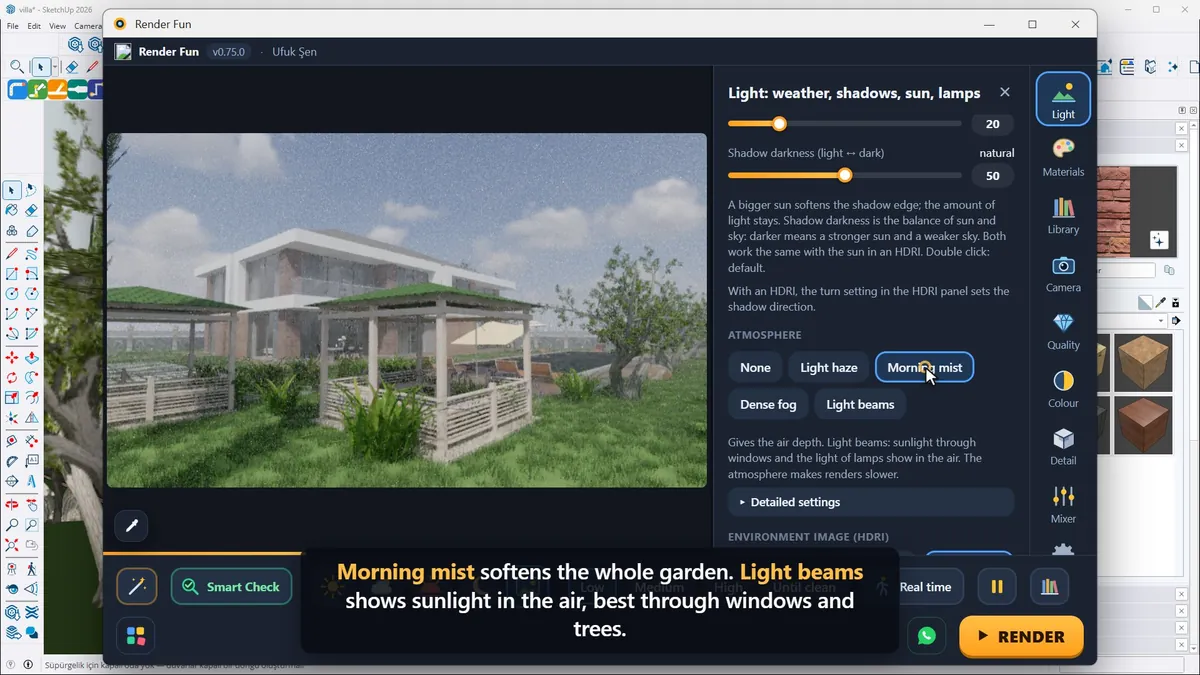
Under Atmosphere, a light haze gives distant things depth, morning mist softens the whole garden and light beams show sunlight in the air, best through windows and trees. Atmosphere makes renders a little slower, so add it at the end.
Next: Lesson 10, final output and workflow.
Frequently asked questions
Do plants make my SketchUp model heavy?
No: in SketchUp they stay light placeholders and become full 3D plants only in the render.
How do I make pool water look real?
Click the water, choose Pool as the water body and set the waves and the colour.
- 1. Install and first render
- 2. The interface: what is where
- 3. Camera and composition
- 4. Sun, sky and HDRI
- 5. Materials
- 6. Lights and the light mixer
- 7. Quality, noise and resolution
- 8. Colour, detail and final look
- 9. Plants, water and atmosphere
- 10. Final output and workflow