Render Fun tutorial series · Lesson 8 / 10
Render Fun Tutorial 8: Colour, Detail and the Final Look of a SketchUp Render
The last ten percent of a render is its look. The best part: none of these settings restarts the render; they work instantly, even on a finished picture.
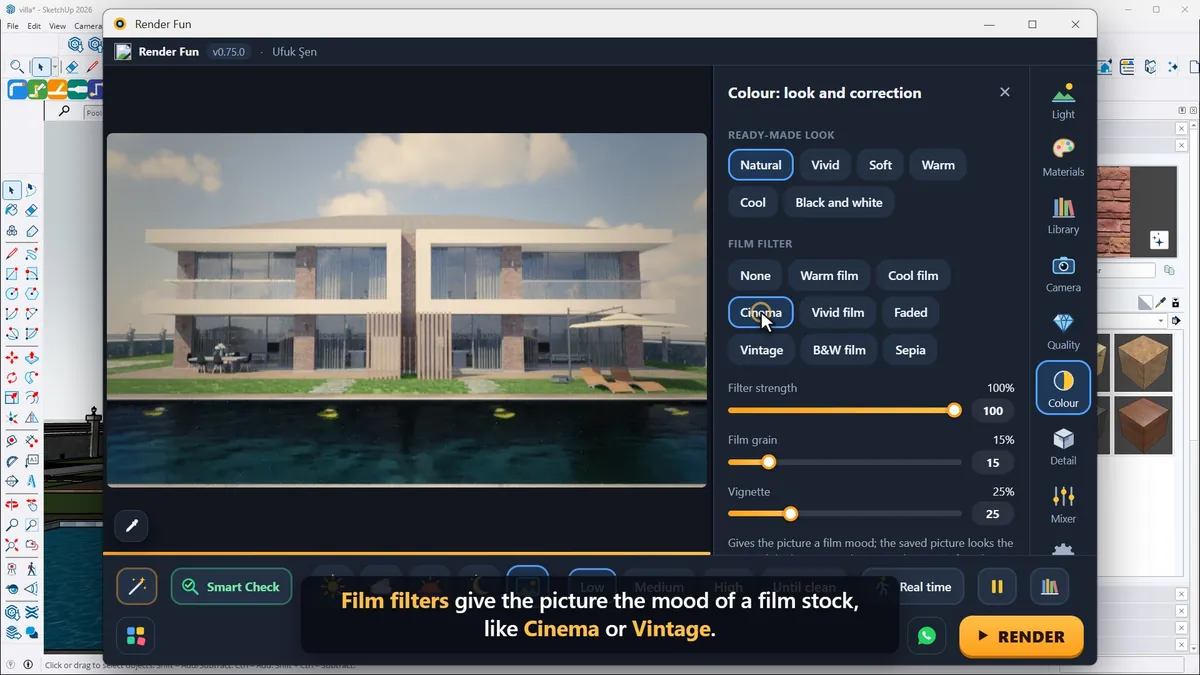
Ready-made looks and film filters
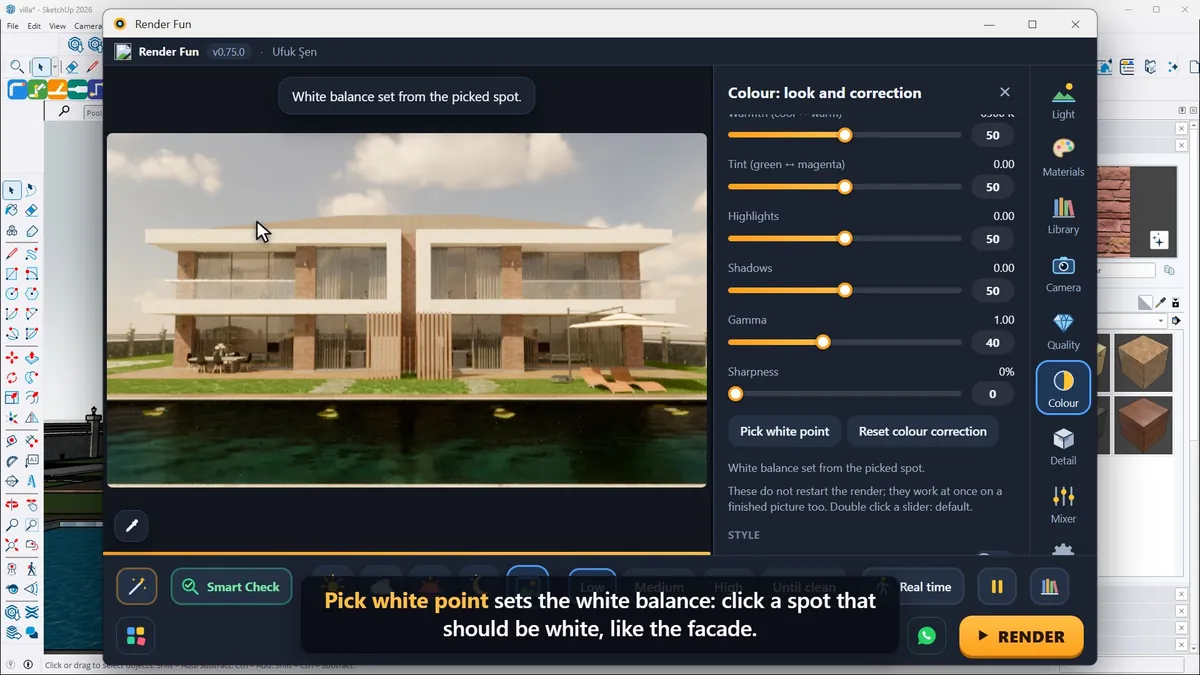
At the top of the Colour panel are the ready-made looks, one click each: Vivid for punchy colour, Soft for a gentle feel, Warm and Cool for mood, and Black and white. Film filters give the picture the mood of a film stock, such as Cinema or Vintage; then adjust the filter strength, the film grain and the vignette.
Colour management, exposure and white balance
- Colour management turns light into colours. AgX keeps colours natural even in very bright light, so it is the default; ACES is more vivid, Filmic soft and classic.
- Automatic exposure sets the brightness like your eye does; Brightness nudges it up or down.
- Under Colour correction: contrast, saturation, temperature, highlights and shadows.
- "Pick white point" sets the white balance: click a spot that should be white, such as the facade. "Reset colour correction" brings everything back.
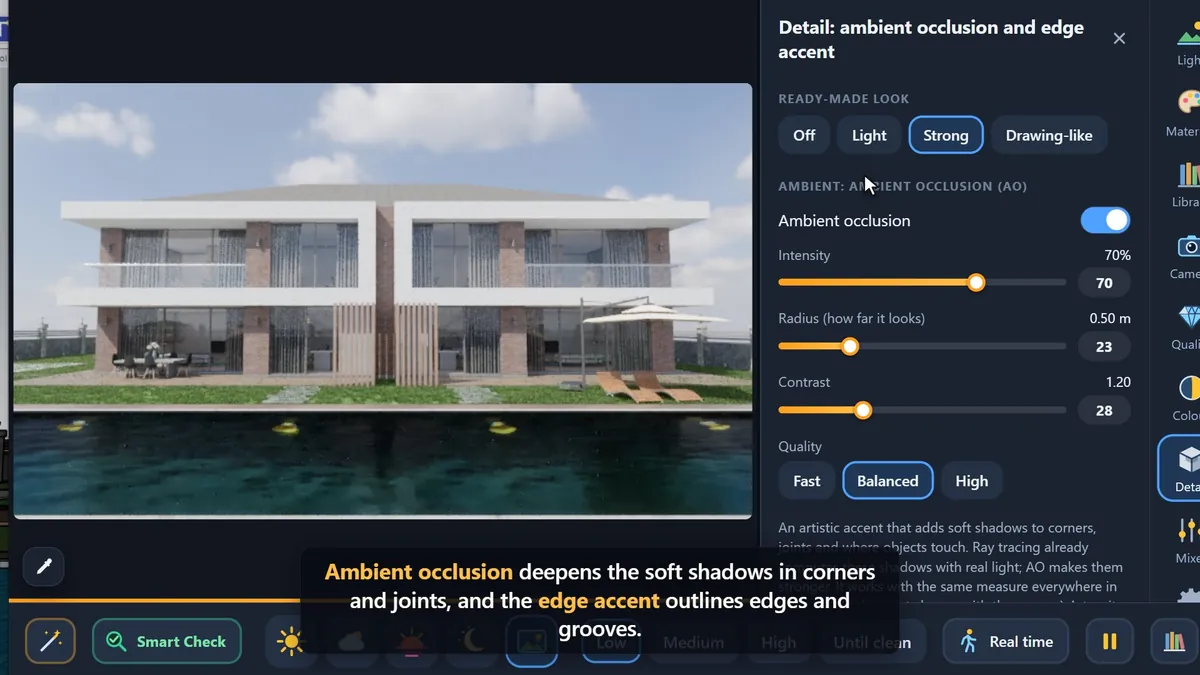
Detail: ambient occlusion, edges and clay
The Detail panel adds two artistic accents, with ready settings Off, Light, Strong and Drawing-like. Ambient occlusion deepens the soft shadows in corners and joints, and the edge accent outlines edges and grooves; Drawing-like goes further, for an illustrated look. Clay mode turns the whole model white, perfect for showing pure form and light; switch it off and the colours are back.
Next: Lesson 9, plants, water and atmosphere.
Frequently asked questions
Do colour changes restart the render?
No: colour and detail settings work instantly, even on a finished picture.
What is clay mode?
It turns the whole model white to show pure form and light.
- 1. Install and first render
- 2. The interface: what is where
- 3. Camera and composition
- 4. Sun, sky and HDRI
- 5. Materials
- 6. Lights and the light mixer
- 7. Quality, noise and resolution
- 8. Colour, detail and final look
- 9. Plants, water and atmosphere
- 10. Final output and workflow