Render Fun tutorial series · Lesson 4 / 10
Render Fun Tutorial 4: Lighting a SketchUp Render With the Sun, the Sky and HDRI
Light makes or breaks a render. Everything here works the same in an exterior or an interior: get the light right and the materials and colours fall into place.
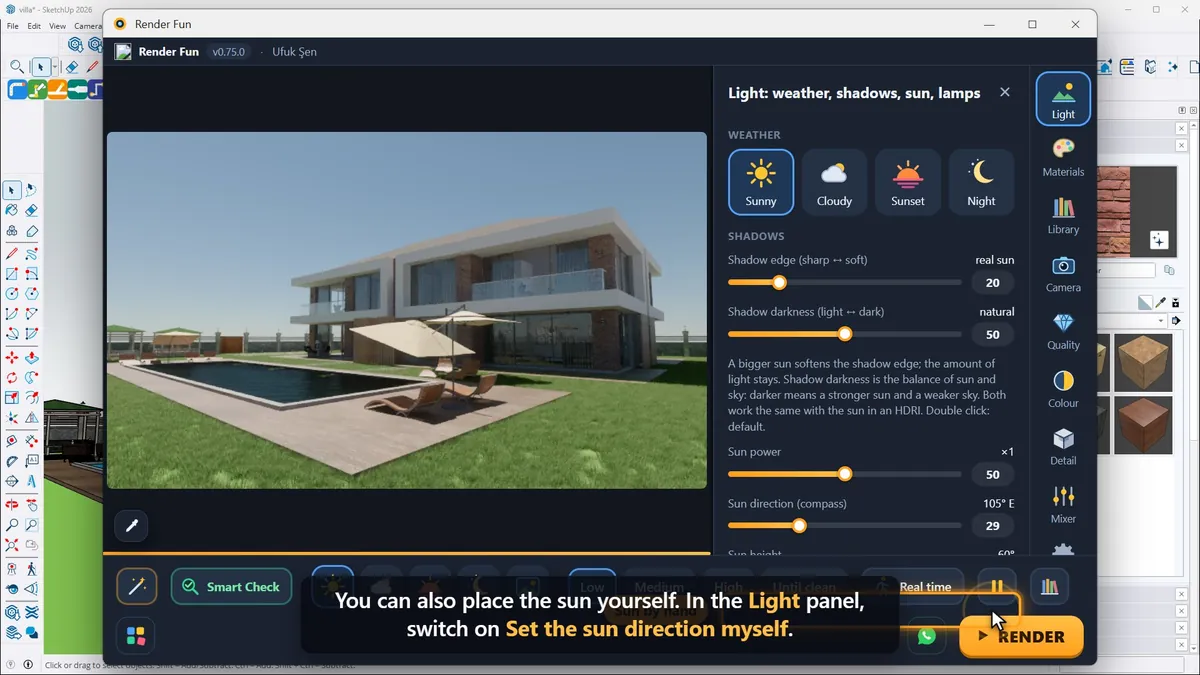
The weather buttons
- Sunny: bright daylight with crisp shadows.
- Cloudy: even light with soft, gentle shadows.
- Sunset: a low, warm sun and long shadows.
- Night: dark and blue; night scenes need lamps (lesson 6).
The sun from SketchUp, or by hand
With Sunny, the sun’s direction comes from SketchUp’s shadow settings, the time of day and the date: set a morning hour in SketchUp and the sun moves in the render at once. To place it yourself, switch on "Set the sun direction myself" in the Light panel: Sun direction turns it around the compass and Sun height raises or lowers it. Even quicker, drag the picture sideways and the sun and its shadows turn with you.
Sun power makes the sun stronger or weaker without touching the sky. Shadow edge softens the shadows like a bigger sun, and Shadow darkness balances the sun against the sky. Double-click any slider to go back to its natural default.
HDRI: real skies for natural light
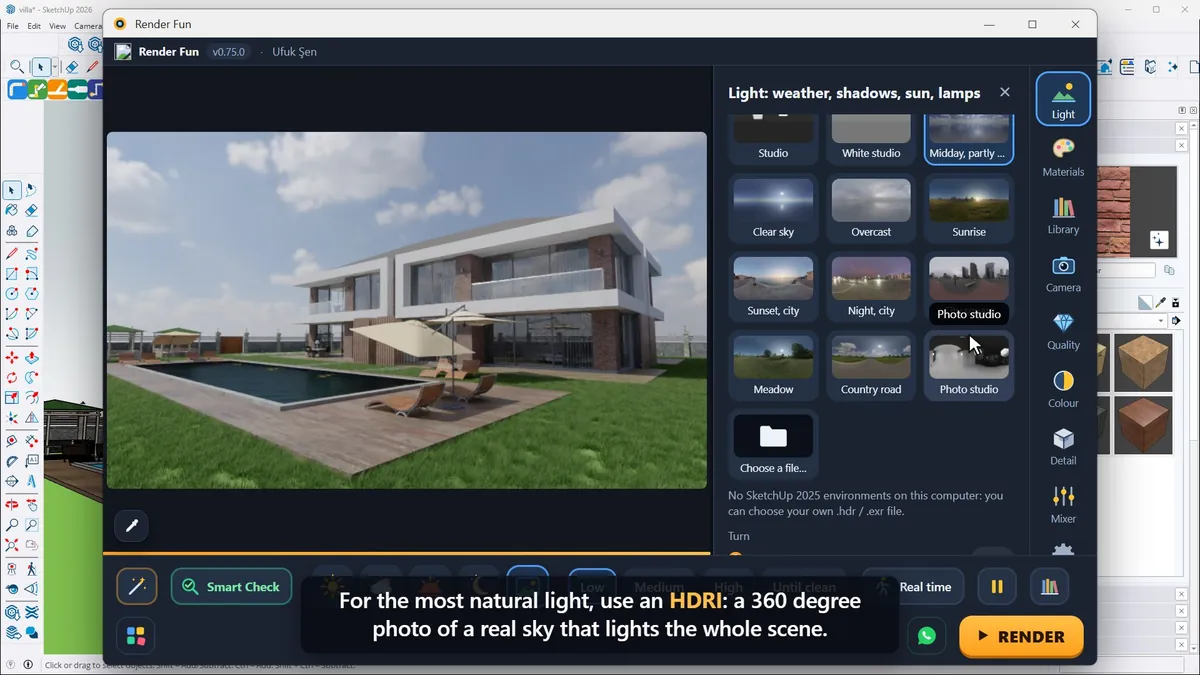
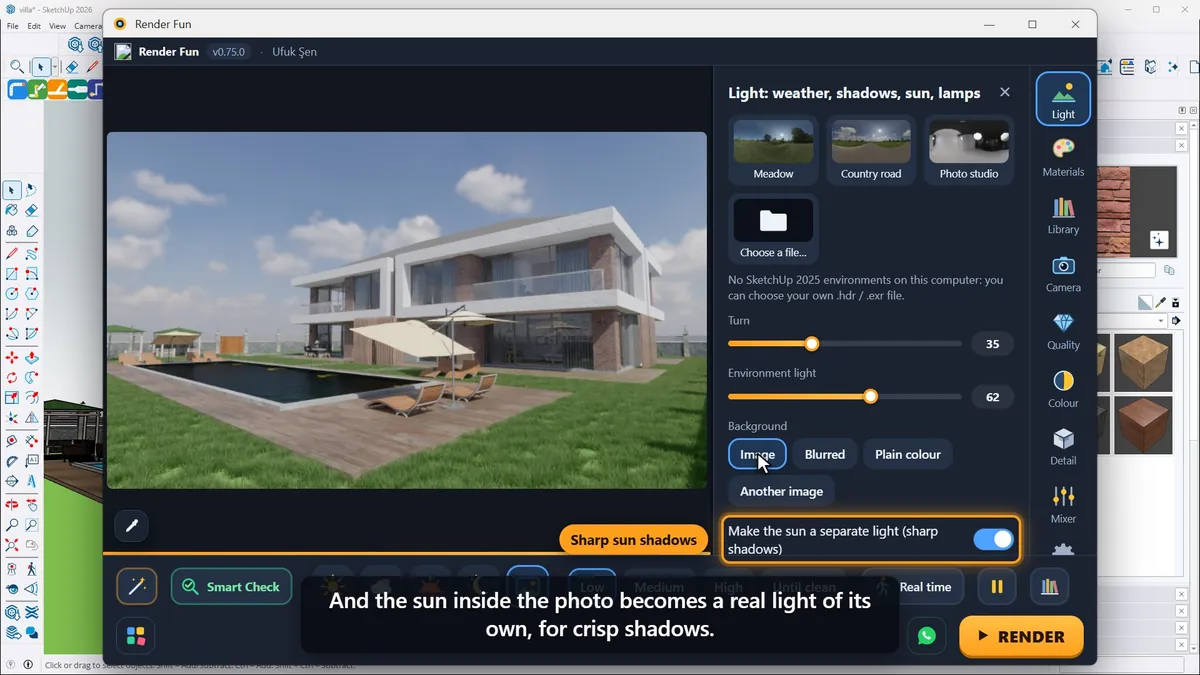
For the most natural light, use an HDRI, a 360° photo of a real sky that lights the whole scene. Render Fun comes with ten: clear sky, sunrise, a city sunset, a meadow, a photo studio and more, and "Choose a file" loads your own HDR or EXR images. Turn rotates the environment and with it the sun and the shadows; Environment light sets how bright the sky is; behind the model you can show the photo itself, a soft blurred version or a plain colour.
The sun inside the photo can become a real light of its own for crisp shadows, and a tip: give the ground the Shadow catcher material, and your model sits right on the photo with its shadow.
Next: Lesson 5, materials.
Frequently asked questions
What is an HDRI in rendering?
A 360° photo of a real sky that lights the whole scene and appears behind the model.
Can I use my own HDRI in Render Fun?
Yes: "Choose a file" loads your own .hdr or .exr images.
- 1. Install and first render
- 2. The interface: what is where
- 3. Camera and composition
- 4. Sun, sky and HDRI
- 5. Materials
- 6. Lights and the light mixer
- 7. Quality, noise and resolution
- 8. Colour, detail and final look
- 9. Plants, water and atmosphere
- 10. Final output and workflow