Render Fun tutorial series · Lesson 3 / 10
Render Fun Tutorial 3: Camera, Framing and Composition for Better SketchUp Renders
A great render starts with a great camera. Frame the view like a photographer and half of the image is done before the first sample.
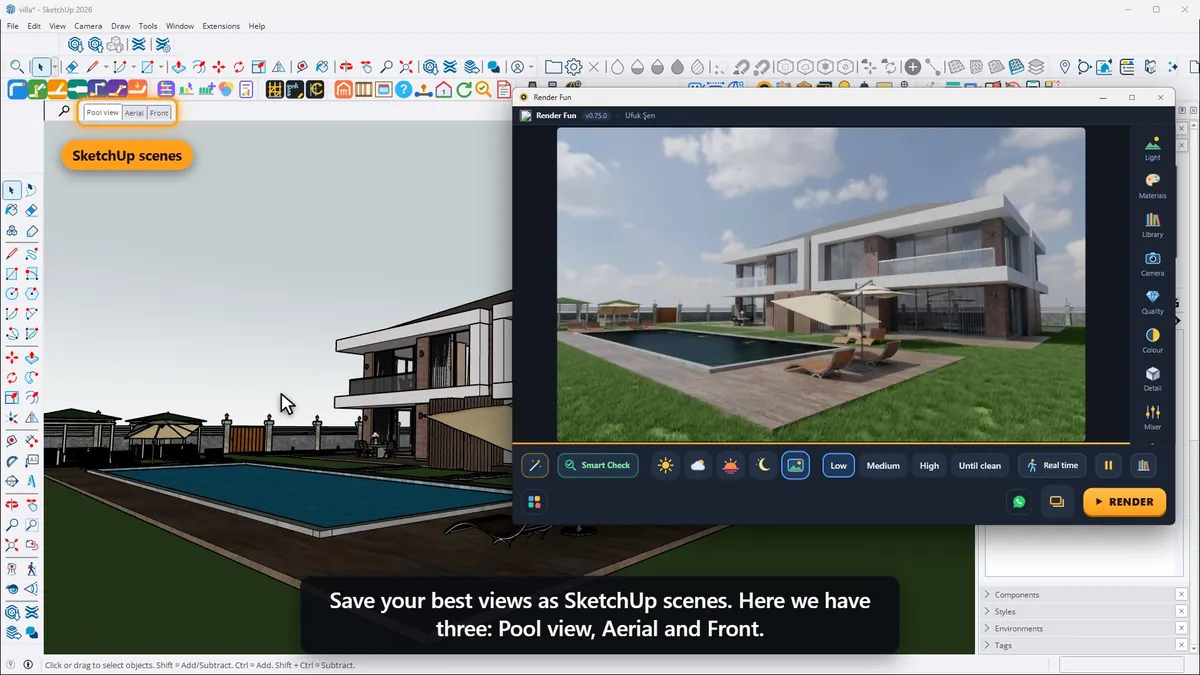
Use SketchUp’s camera and scenes
Render Fun always uses the SketchUp camera: orbit, pan and zoom as usual, and save your best views as SketchUp scenes. Click a scene tab and the render follows at once. You can also drag the picture sideways, and SketchUp’s camera turns with it.
Field of view, ratio and size
- The lens width comes from SketchUp: Camera › Field of View. For interiors about 60–70° often works well; for facades stay narrower.
- Pick an aspect ratio in the Quality panel: 4:5 is great for social media, 21:9 feels like cinema.
- Size sets the pixels of the saved picture: HD, 2K, 4K or your own width and height.
Composition helpers and straight verticals
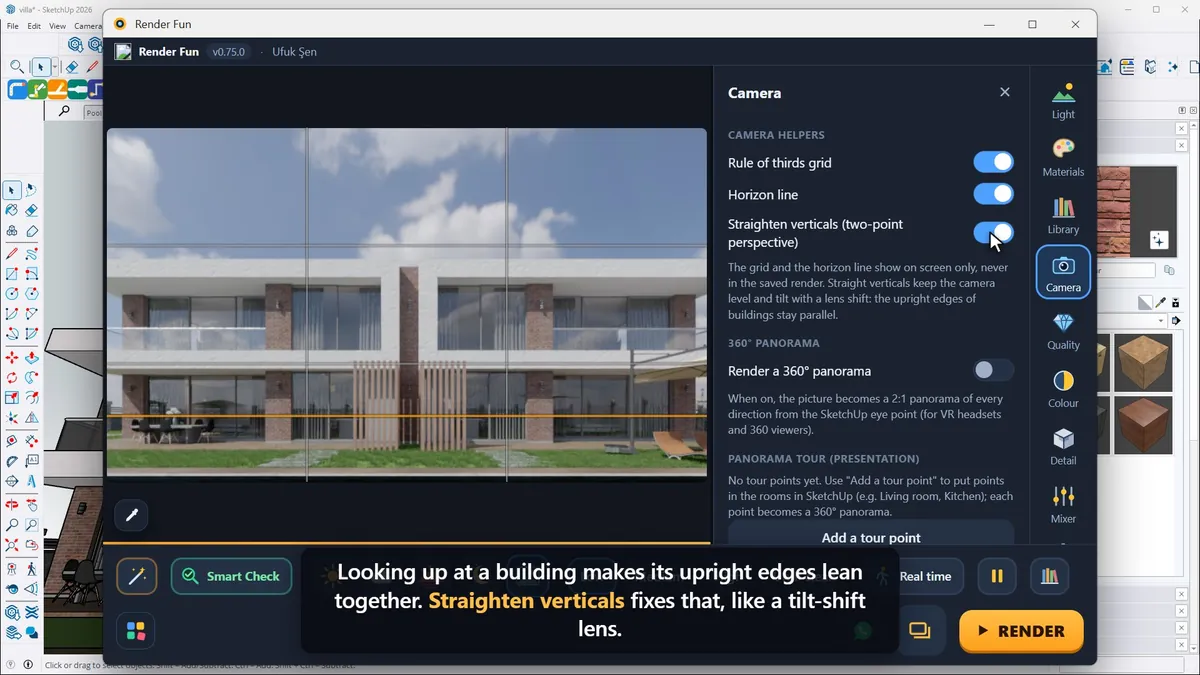
In the Camera panel, the rule-of-thirds grid helps you place the main subject and the horizon line keeps the view level; both show on screen only, never in the saved render. Looking up at a building makes its upright edges lean together: "Straighten verticals" fixes that, like a tilt-shift lens. For architecture, this one makes a big difference.
Depth of field
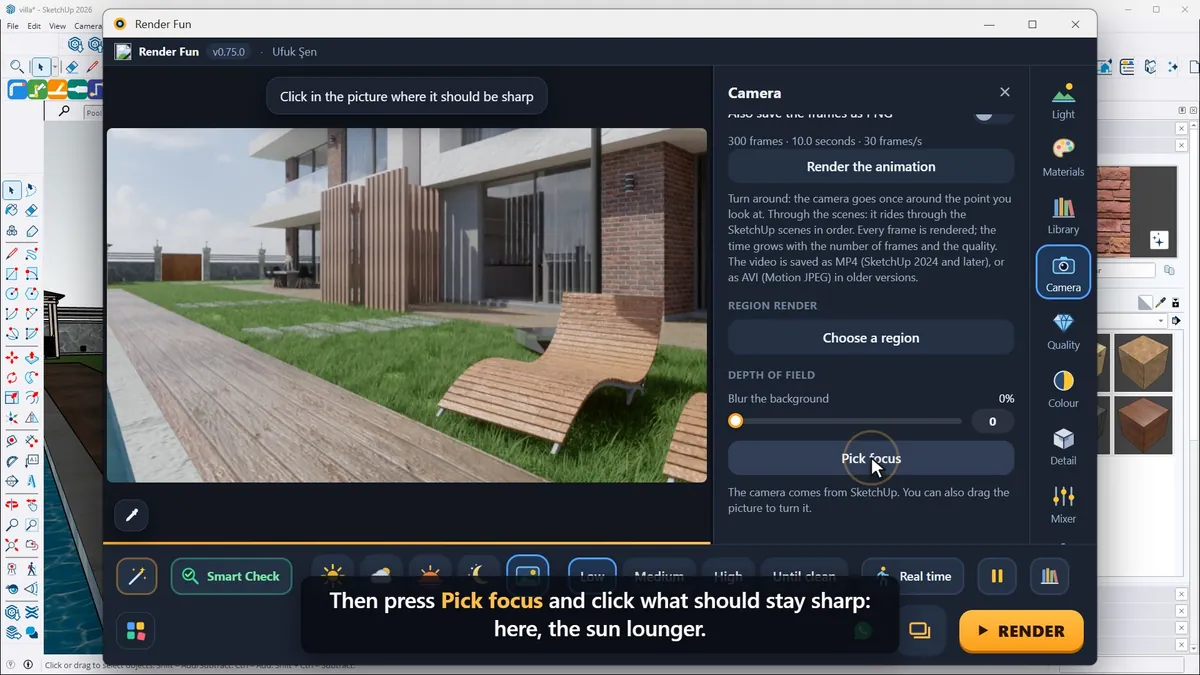
For a close shot, drag "Blur the background" under Depth of field, then press "Pick focus" and click what should stay sharp. Photographers can also switch on the physical camera in the Colour panel, with ISO, shutter speed and aperture. With several scenes in the model, All scenes renders and saves every one of them in turn.
Next: Lesson 4, sun, sky and HDRI.
Frequently asked questions
What field of view is best for interior renders?
About 60–70° often works well for interiors; stay narrower for facades.
How do I fix leaning walls in a render?
Turn on "Straighten verticals" in the Camera panel for a two-point perspective.
- 1. Install and first render
- 2. The interface: what is where
- 3. Camera and composition
- 4. Sun, sky and HDRI
- 5. Materials
- 6. Lights and the light mixer
- 7. Quality, noise and resolution
- 8. Colour, detail and final look
- 9. Plants, water and atmosphere
- 10. Final output and workflow