Render Fun tutorial series · Lesson 5 / 10
Render Fun Tutorial 5: Materials in SketchUp Renders, From Metal and Glass to Fabric
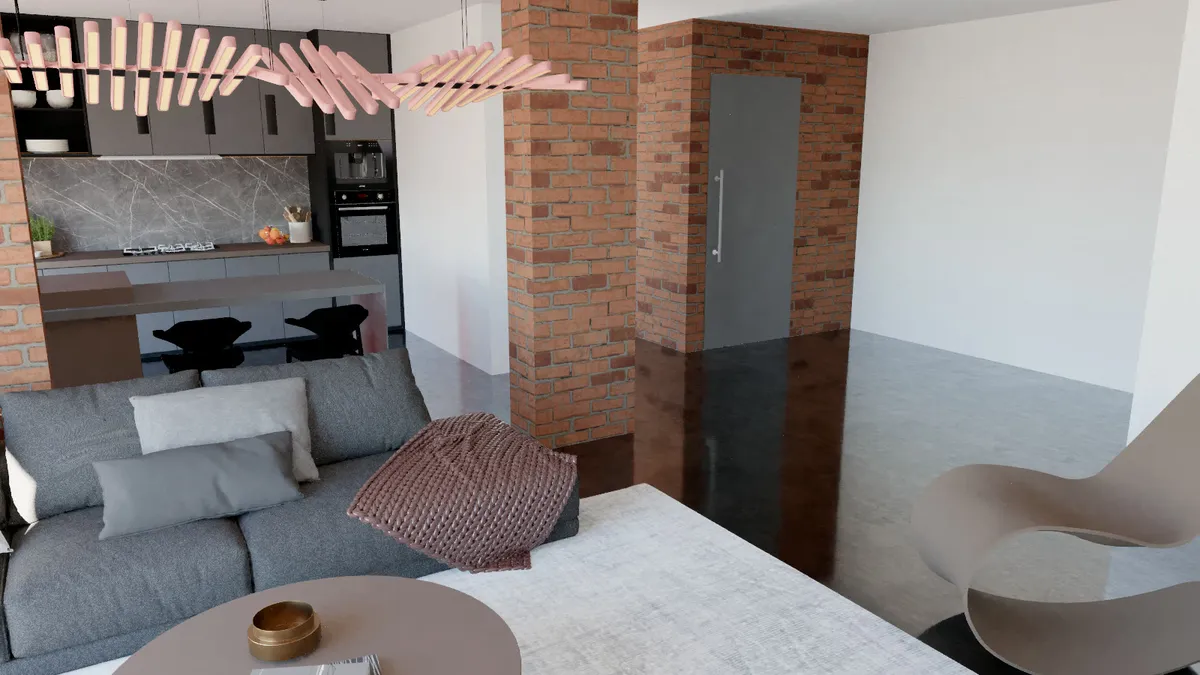
Materials make a render believable. SketchUp gives Render Fun the colours and textures; this lesson turns them into gold, lacquer, glass and velvet in a few clicks.
Open the Material Editor
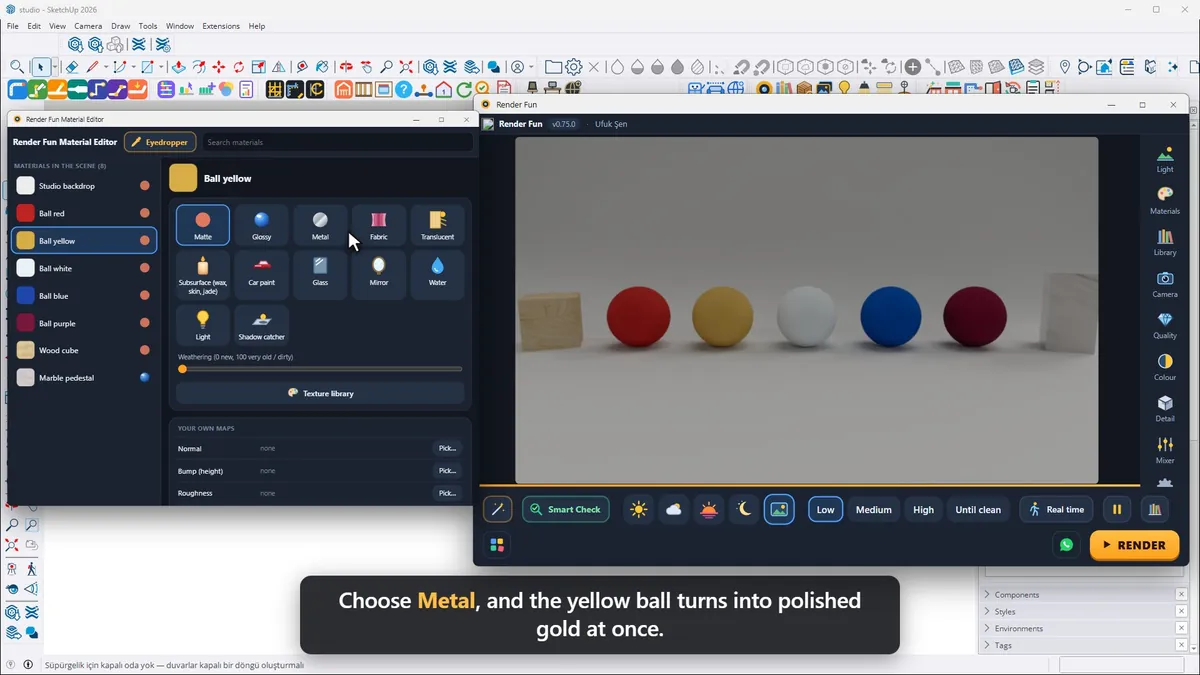
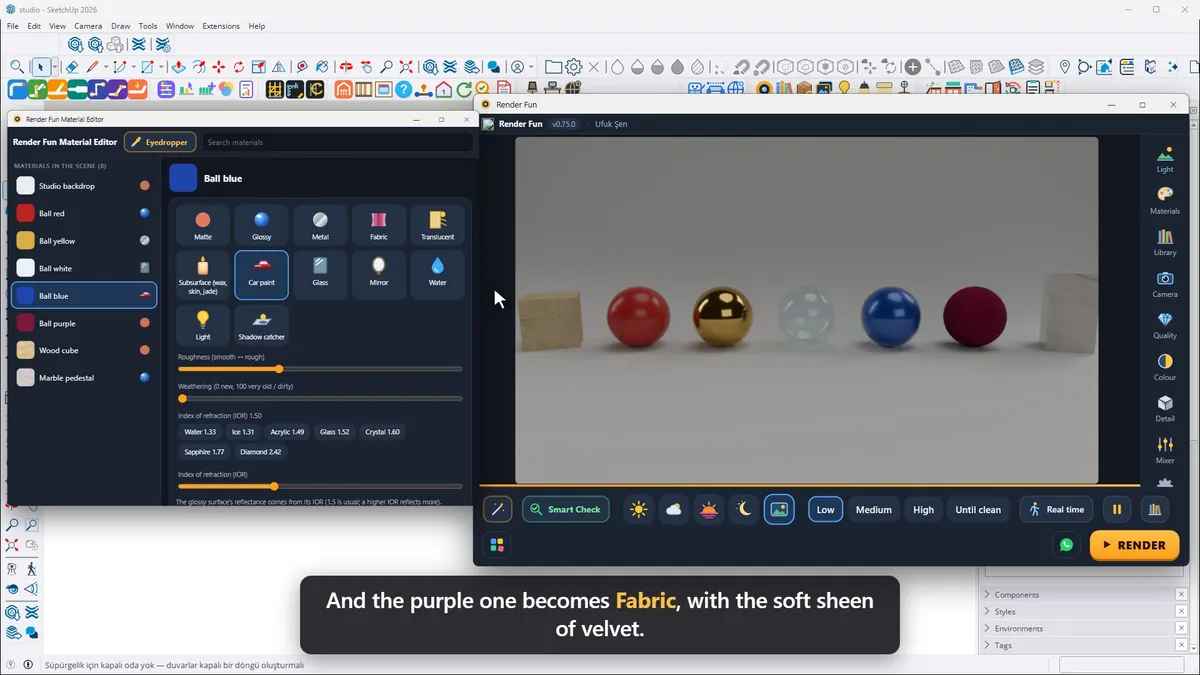
Click any surface in the render and the Material Editor opens with that material. On the left are all the materials of the scene, on the right the material kinds. Choose Metal, and a yellow ball turns into polished gold at once.
Material kinds
- Metal with Roughness, from mirror-like to satin, and Brushing for brushed metal.
- Glossy for lacquer with a soft reflection.
- Glass, clear with reflections, and Thick glass.
- Car paint: a clear coat over coloured flakes.
- Fabric with the soft sheen of velvet.
- Translucent for curtains and lampshades, Subsurface for wax, skin or jade, and Light to make a surface glow.
Textures, relief and the library
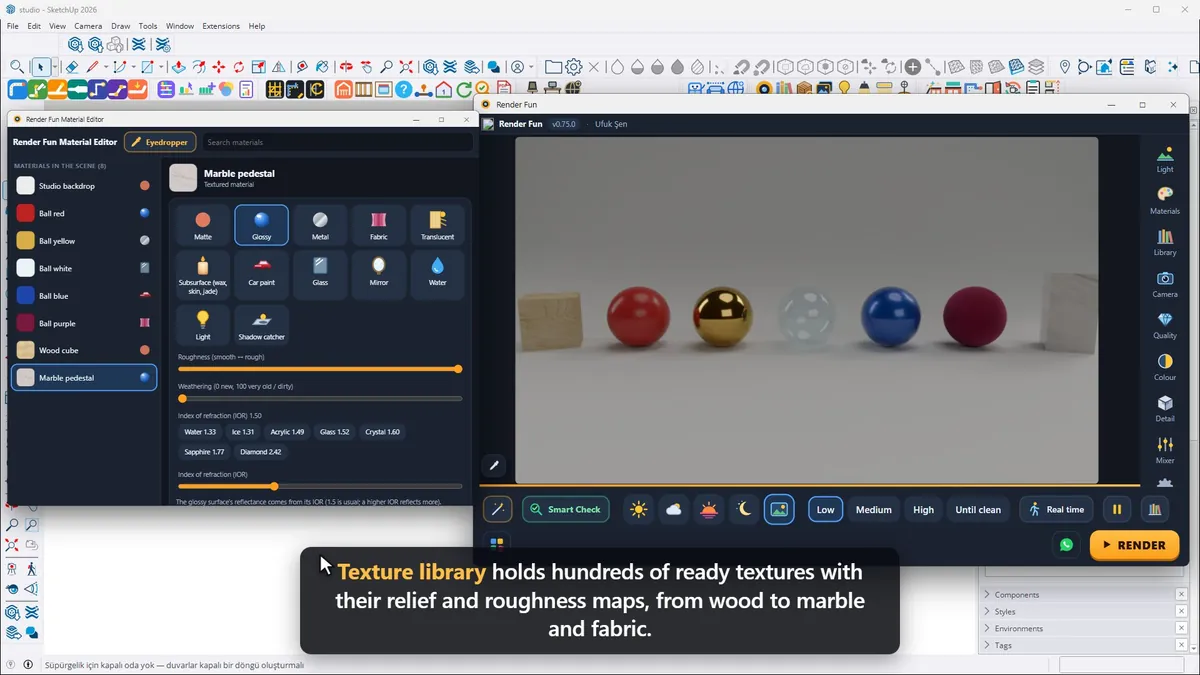
A textured material such as wood gets its relief and shiny grain from the texture by itself; Texture relief makes the grain shallower or deeper. The Eyedropper picks a material straight from the render. The Texture library holds hundreds of ready textures with their relief and roughness maps, from wood to marble and fabric: click one and it goes onto the material in SketchUp with all its maps, and Undo in SketchUp takes it back.
Shortcut: put a word like glass, metal, water or velvet in the material name in SketchUp, and Render Fun sets the kind by itself. Every choice is stored with the model, and your SketchUp colours and textures stay as they were.
Next: Lesson 6, lights and the light mixer.
Frequently asked questions
Why does my glass look solid in the render?
Click it and choose the Glass kind in the Material Editor.
Does Render Fun change my SketchUp materials?
No: your colours and textures stay as they were; the render settings are stored with the model.
- 1. Install and first render
- 2. The interface: what is where
- 3. Camera and composition
- 4. Sun, sky and HDRI
- 5. Materials
- 6. Lights and the light mixer
- 7. Quality, noise and resolution
- 8. Colour, detail and final look
- 9. Plants, water and atmosphere
- 10. Final output and workflow